15861139266

15861139266
DockPanel面板
DockPanel支持让元素简单地停靠在整个面板的某一条边上,然后拉伸元素以填满全部宽度或高度。它也支持让一个元素填充其他已停靠元素没有占用的剩余空间
DockPanel有一个Dock附加属性,因此子元素用4个值来控制她们的停靠:Left、Top、Right、Bottom。Dock 没有Fill值。作为替代,最后的子元素将加入一个DockPanel并填满所有剩余的空间,除非DockPanel的LastChildFill属性为false,它将朝某个方向停靠
示例如下:
<Window x:Class="WPF_Code.WarpPanel_wpf"
xmlns="http://schemas.microsoft.com/winfx/2006/xaml/presentation"
xmlns:x="http://schemas.microsoft.com/winfx/2006/xaml"
Title="WarpPanel_wpf" Height="300" Width="300">
<DockPanel>
<Button Content="Button"/>
<Button Content="Button"/>
<Button Content="Button"/>
<Button Content="Button"/>
<Button Content="Button"/>
</DockPanel>
</Window>
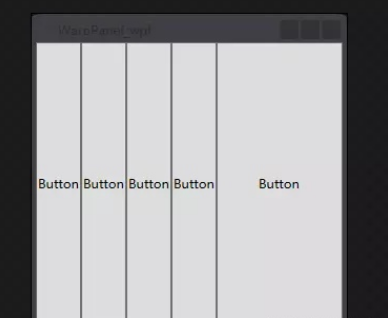
默认情况下,元素会依次横向排列,并填充整个空间
<Window x:Class="WPF_Code.WarpPanel_wpf"
xmlns="http://schemas.microsoft.com/winfx/2006/xaml/presentation"
xmlns:x="http://schemas.microsoft.com/winfx/2006/xaml"
Title="WarpPanel_wpf" Height="300" Width="300">
<DockPanel LastChildFill="True">
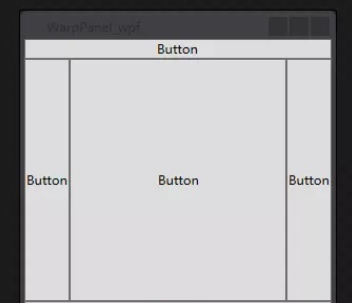
<!--DockPanel.Dock属性可控制元素在DockPanle中依靠的位置-->
<Button Content="Button" DockPanel.Dock="Top" />
<Button Content="Button" DockPanel.Dock="Bottom"/>
<Button Content="Button" DockPanel.Dock="Left"/>
<Button Content="Button" DockPanel.Dock="Right"/>
<Button Content="Button"/>
</DockPanel>
</Window>
嵌套布局容器
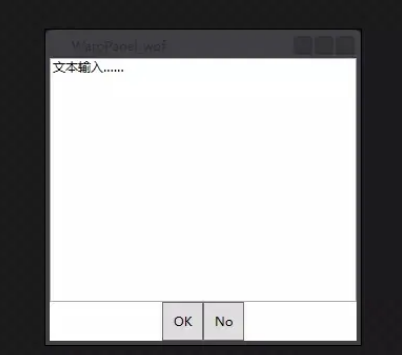
一个简单示例
<Window x:Class="WPF_Code.WarpPanel_wpf"
xmlns="http://schemas.microsoft.com/winfx/2006/xaml/presentation"
xmlns:x="http://schemas.microsoft.com/winfx/2006/xaml"
Title="WarpPanel_wpf" Height="300" Width="300">
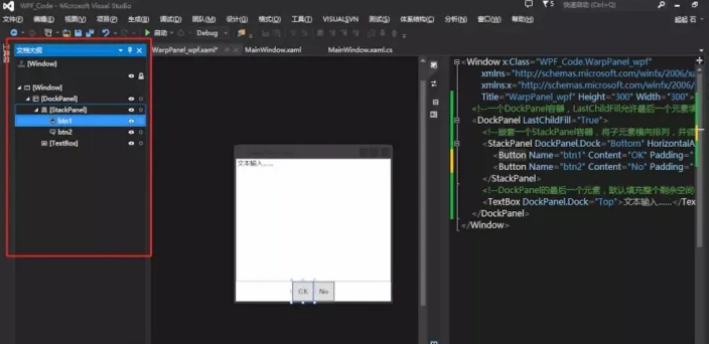
注:可以通过文档大纲栏来查看元素节点树状图

版权所有:江苏和讯自动化设备有限公司所有
备案号:苏ICP备2022010314号-1  苏公网安备32050602013820号